
QFlow July 2026 Product Notes: Revenue, Conversions, Ramp, Renewals, and Accounting
The July releases connect more of the revenue engine in one operating model.
A CRO can ask whether the selling motion has enough capacity to produce the plan. A CFO can follow bookings into recognized revenue and accounting actuals. RevOps can find where conversion slows, see how new reps build pipeline, and resolve renewal ambiguity before it enters the forecast.
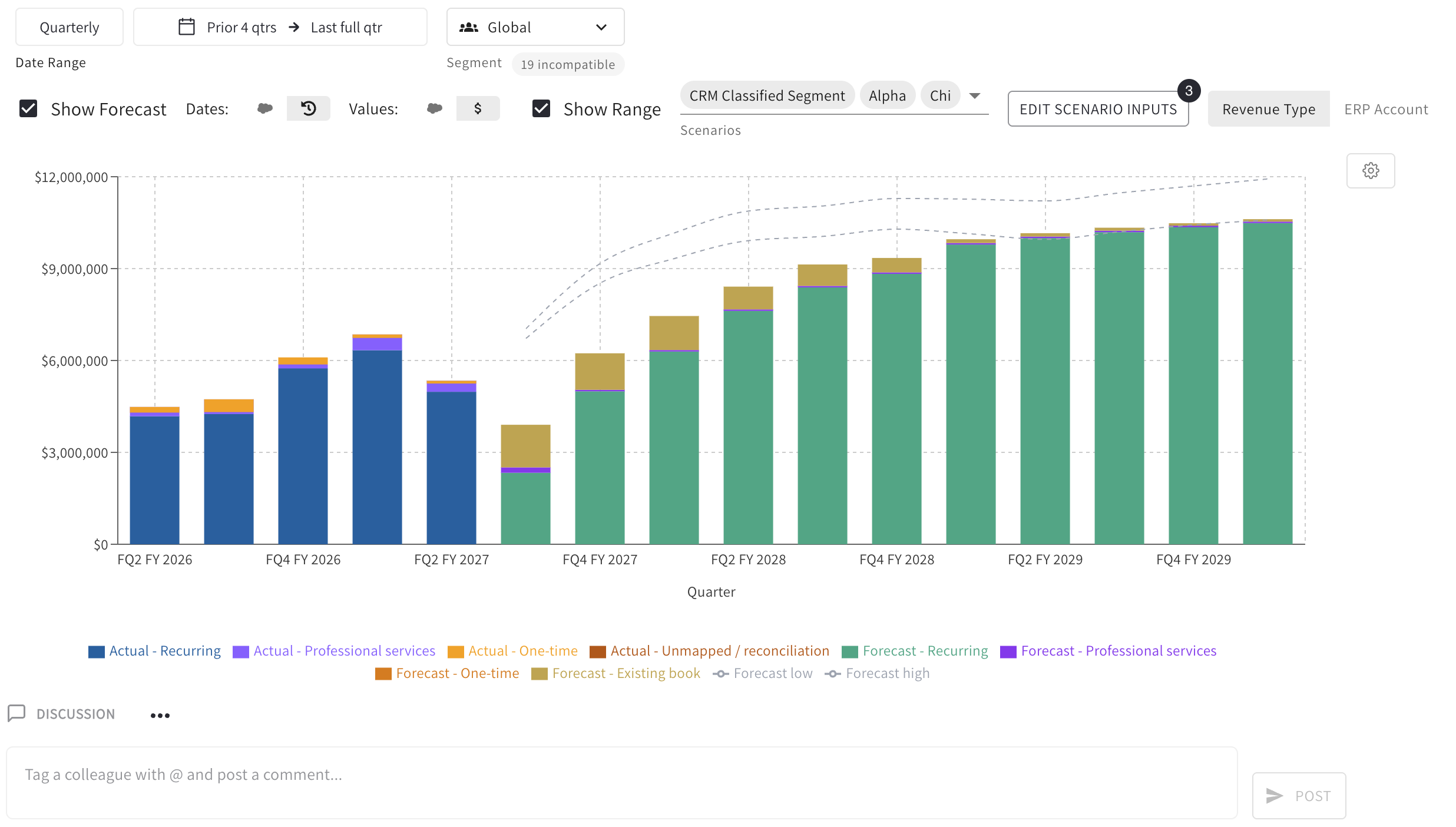
Revenue Agent connects bookings to recognized revenue
A bookings forecast answers what may close. The QFlow Revenue Agent now answers when and how those bookings become revenue.
Subscription models carry recurring revenue across contract terms while keeping the existing book separate from future pipeline. Consumption models apply units, realization, and price. Hybrid businesses can add services, implementation, hardware, and other one-time revenue across business units or entities.
The Revenue Agent starts with booked business, pipeline, projected demand, and renewals, then applies the way each stream earns revenue. As a month closes, QuickBooks or NetSuite actuals replace the projection. Unmapped income remains visible as reconciliation.
The CRO sees whether the selling motion supports the bookings plan. The CFO sees when the plan becomes revenue and where the forecast still depends on an assumption.
Conversions Agent finds the point that changes the outcome
A funnel is spread across CRM stages, campaign responses, calls, meetings, and outcomes. Putting those records in a warehouse does not make their labels agree.
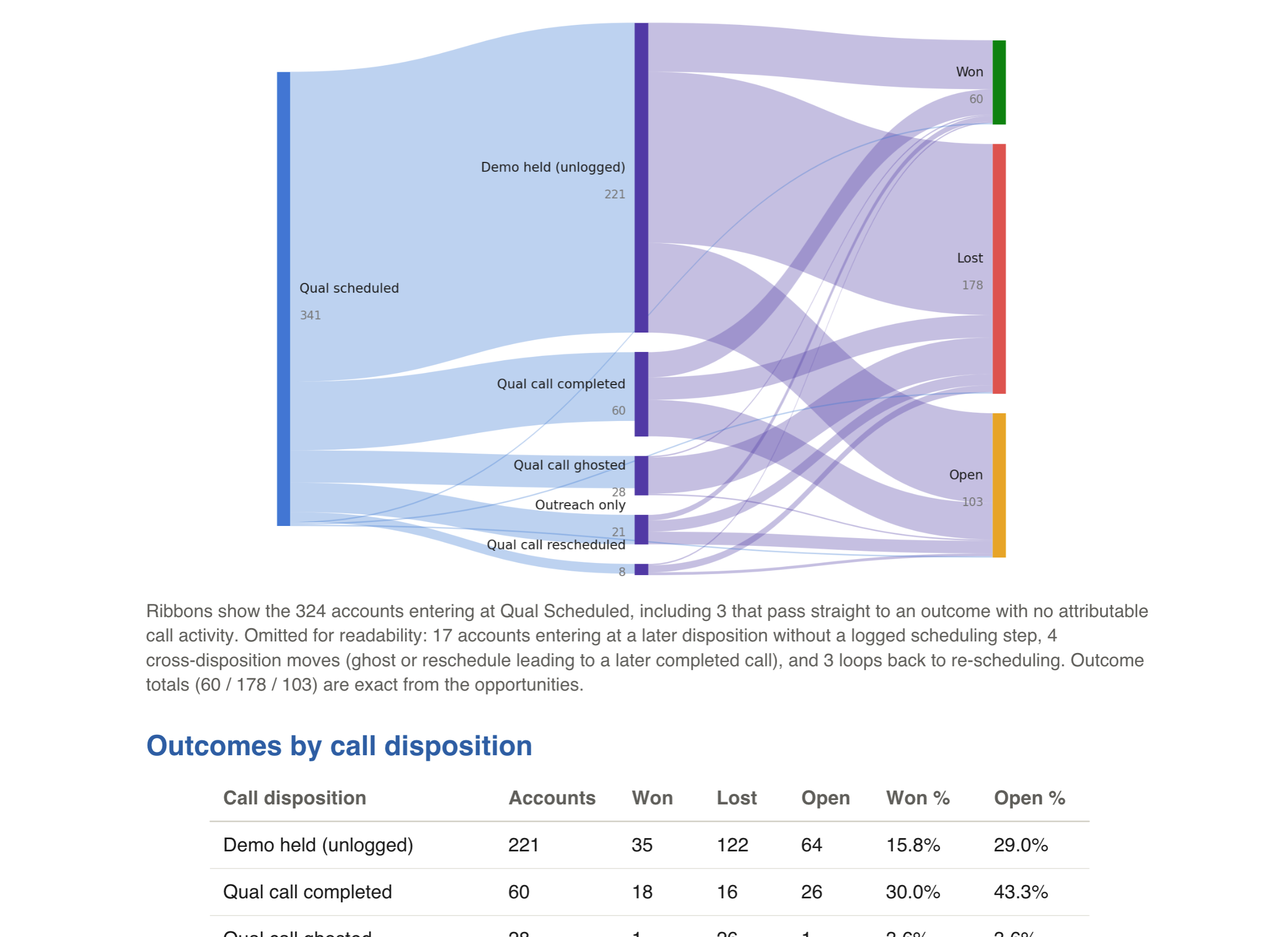
The new QFlow Conversions Agent turns those events into reusable conversion flows. Customers can ask what separates webinar engagement that creates pipeline from engagement that goes nowhere, what percentage of booked qualification calls are completed or ghosted, and which activities consistently precede advancement to stage three or above.
QFlow follows the person, company, or deal appropriate to the question. It puts the events on one timeline, removes duplicate activity, and keeps missing or unlogged steps visible. The result shows conversion rate, timing, and volume without hiding alternate routes or second attempts.
The same cleaned dataset can run on a schedule in QFlow Recipes or be interrogated through MCP from Claude Desktop, Codex, or Claude Code.
Sales Ramp Agent measures the motion before the win
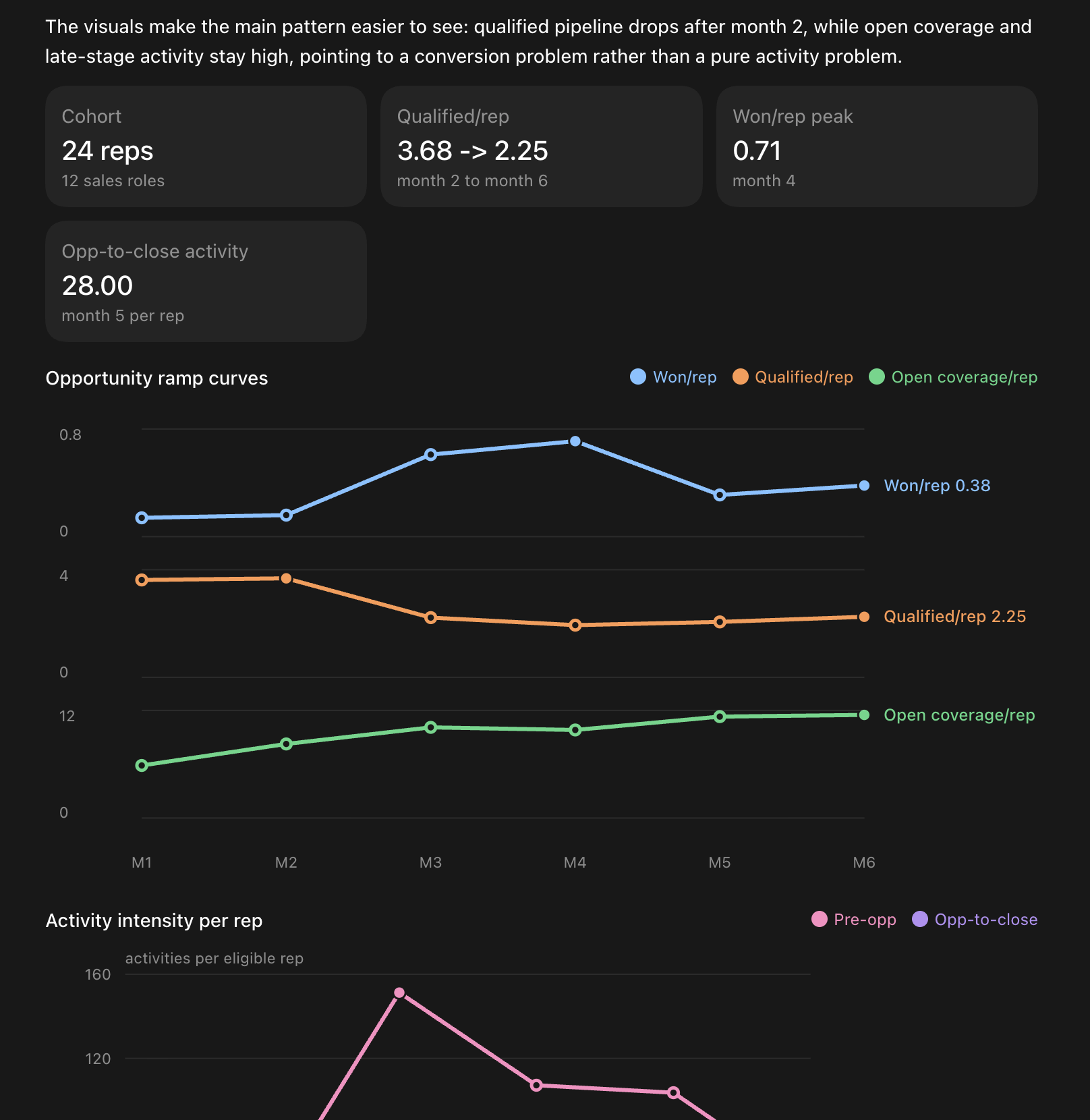
Closed-won confirms ramp after the fact. The QFlow Sales Ramp Agent shows the upstream pattern while managers can still act.
It aligns reps by month of tenure, identifies successful cohorts from outcomes such as quota attainment or closed-won, and works backward to earlier pipeline and conversion signals. It separates inherited opportunities from pipeline the rep generated alone or with an SDR.
A busy rep who is not creating qualified pipeline has a different problem from a rep whose pipeline does not advance. Leadership can compare month one with month one and decide whether the constraint is enablement, territory, demand, or selling capacity.
Renewal Matching turns ambiguity into review
Renewal forecasting depends on a deceptively hard question: which open existing-business opportunity belongs to which prior closed deal?
QFlow Renewal Matching presents suggested matches with confidence and the source opportunities behind them. RevOps can confirm the suggestion, choose another candidate, record that there is no match, and track what remains. The decision persists into the next forecast cycle.
That review protects the plan from double-counted renewals and missing existing-business coverage. The CRO gets a cleaner view of what is actually in motion. The CFO gets a more defensible starting point for the recurring base and future revenue.
Accounting actuals close the loop
QFlow now builds a unified chart of accounts and monthly balance-sheet data from connected QuickBooks Online and NetSuite systems. That layer supports revenue actuals, deferred-revenue context, CAC, payback, and finance Recipes.
A forward model eventually has to meet the books. Closed periods replace forecast revenue with actuals. Where deferred-revenue data is available, QFlow can compare the expected existing book with the booked balance. Unreconciled values remain visible for finance.
The CFO can follow the bridge from forecast to actual. The CRO can plan from a revenue model that reflects both the selling motion and the accounting outcome.