
Introducing QFlow Desktop
Claude and Codex can turn business data into a board deck in minutes. Give them raw finance, sales, and marketing data, and they can also make ungoverned analytical choices at the same speed.
The risk is not the final formatting. It is allowing an AI assistant to decide what pipeline, bookings, revenue, or conversion mean from raw tables and exports.
QFlow Desktop is now out of beta for macOS and Windows. It connects QFlow’s governed data, deterministic tools, Agentic Recipes, and organization skills to Codex, Claude Desktop, and Claude Code. QFlow governs and executes the analysis. The assistant builds the deck, workbook, or memo.
Real plays, built to run again
Teams are using this pattern to:
- Rebuild a board package with current pipeline, forecast, bookings, and win-loss analysis.
- Respond to requests from investors or potential investors with governed data and supporting evidence.
- Automate monthly or bi-monthly reporting, including narrated versions with voiceovers.
- Refresh a complex conversion analysis without reconstructing the definitions, queries, or deliverable.
The repeatable pattern
A QFlow Recipe runs the approved analysis. QFlow Desktop syncs the deterministic output locally. An organization skill tells Codex or Claude how to assemble the deliverable without recreating the math. A human reviews the result before it is shared.
The same Recipe and skill can run again with fresh data. Definitions live in QFlow. Assembly instructions live in the organization skill. The analyst still owns the final review.
This is already how we produced the evidence-backed analysis in our Win-Loss Agent article: verified QFlow data ran through a Recipe, then Codex assembled the result for publication.
Governed tools, not raw data access
QFlow Desktop does not hand a model unrestricted access to source systems. Its local MCP runtime authenticates to the active QFlow account and gives supported AI assistants access to tenant-scoped QFlow tools. Long-lived credentials remain in macOS Keychain or Windows Credential Manager.
From Codex or Claude, a user can search deterministic analytic tools, run a Recipe from its QFlow URL, and sync the completed output into a local project folder. Results are materialized as structured data, a manifest, and an optional summary that the assistant can read without scraping a dashboard or inventing the math.
QFlow Desktop does not edit a PowerPoint or spreadsheet by itself. The assistant works on the file within its own permissions. QFlow Desktop supplies the authenticated data connection, local artifacts, and approval layer.
Governed workflows, not personal prompts
An organization skill packages the instructions, references, and optional scripts for recurring work. Skills are private to the active QFlow organization. QFlow Desktop verifies the published state, security result, checksum, package structure, and root SKILL.md before installation, and retains the previous known-good version for rollback.
QFlow Desktop also shows file changes and requires native approval before publishing an immutable skill package. Creating or updating organization skills is limited to organization administrators, and QFlow Desktop waits for server validation before reporting a release as published.
Available now
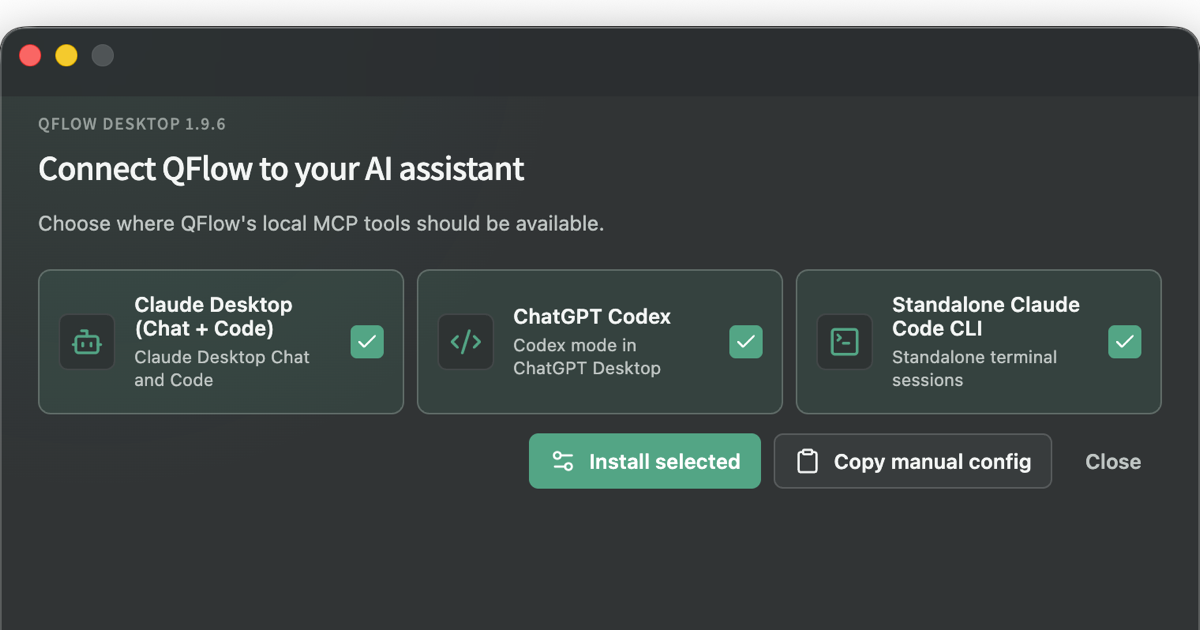
QFlow Desktop supports Apple Silicon and Intel Macs plus Windows x64. It can configure QFlow for Codex, Claude Desktop, and standalone Claude Code, manage organization skills, keep selected Recipe and analytic outputs synchronized locally, and update itself through the production release channel.
The model can move quickly without deciding what the number means. QFlow keeps that part governed.